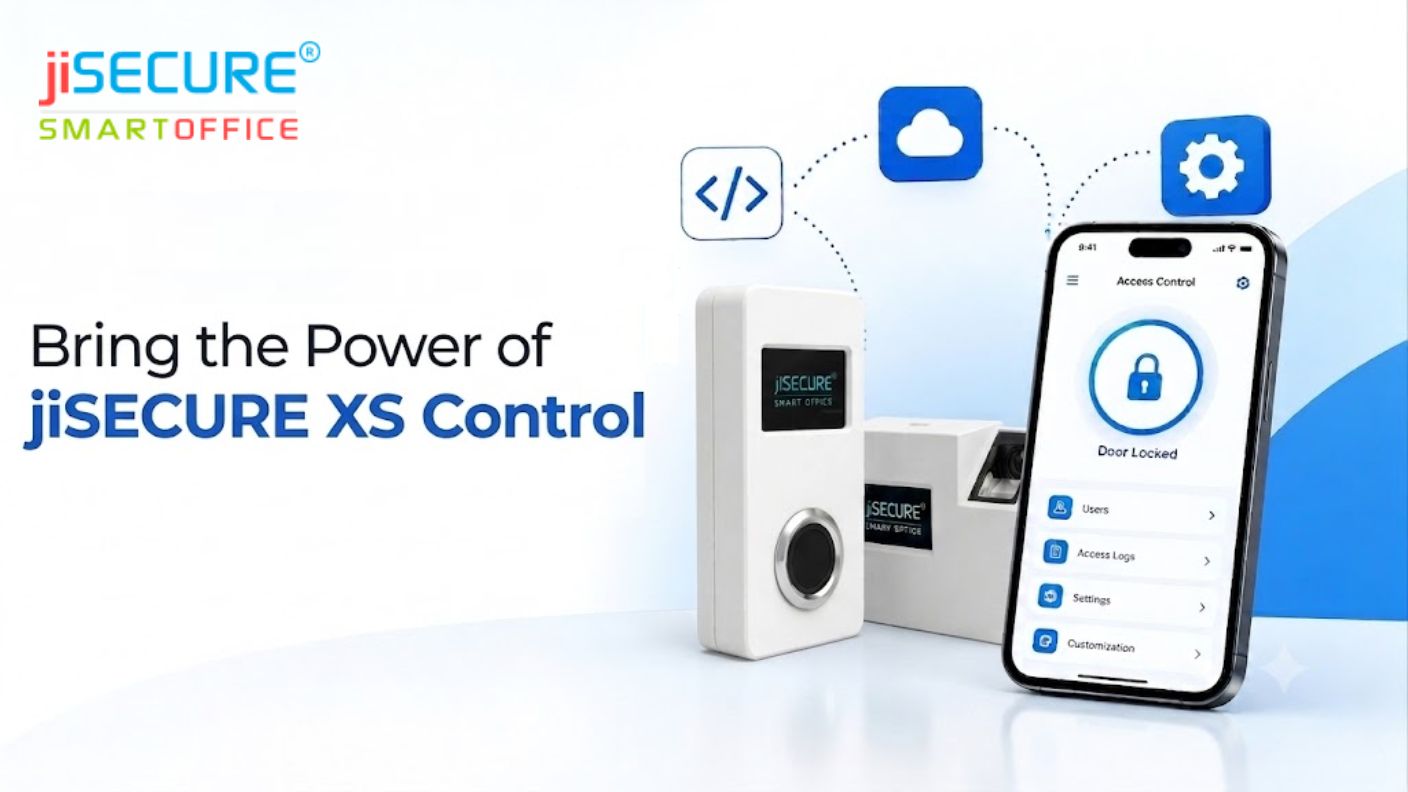
Modern businesses rely on multiple software systems to manage their day-to-day operations. HR teams use HRMS platforms, finance teams depend on payroll and ERP systems, security teams use access-control solutions, and facility managers work with dedicated monitoring applications. The challenge begins when these systems operate independently and employee information has to be entered or synchronized manually.
Biometric attendance and access-control systems are an important part of this ecosystem. However, businesses increasingly expect these systems to communicate with the applications they already use.
This is where jiSECURE XS Control can help.
jiSECURE XS Control is designed as an integration layer for jiSECURE's XS-series biometric devices, including the XS200 Fingerprint Access Control System. Through API-based connectivity, organizations can connect employee information and related workflows with HRMS platforms, ERP systems, payroll applications, security dashboards, facility-management software, and custom enterprise applications.
The REST API uses standard HTTP/HTTPS communication and JSON data, allowing developers to build integrations using the backend technology of their choice.
In this guide, we'll look at what jiSECURE XS Control is, how the REST API works, authentication requirements, employee synchronization, API endpoints, implementation examples, security best practices, real-world use cases, and important considerations before deploying the integration.
What Is jiSECURE XS Control?
jiSECURE XS Control is designed to connect jiSECURE biometric hardware with software applications.
A traditional biometric system may allow administrators to manage employees and attendance through a dedicated interface. That approach can be sufficient for smaller deployments, but larger organizations often already have an HRMS or ERP system where employee information is maintained.
Without integration, the same employee may need to be created in both systems.
For example, when a new employee joins a company, HR may first create their profile in the HRMS. An administrator might then have to manually enter the employee's name, employee code, designation, contact information, and other details into the biometric system.
An API integration can automate this workflow.
Instead of maintaining separate records manually, the HRMS can communicate with XS Control through the API and synchronize employee information automatically.
This makes XS Control more than a standalone attendance solution. It can become part of the organization's wider employee and workforce-management infrastructure.
Why API Integration Is Important for Modern Businesses
API integration helps different software systems exchange information automatically.
For example, an HRMS can act as the primary source of employee information. When HR creates or updates an employee, the integration backend can send the corresponding information to XS Control.
The basic workflow can look like this:
HRMS / ERP ↓Employee Created or Updated ↓Integration Backend ↓jiSECURE XS Control REST API ↓XS Control / XS-Series EnvironmentThis approach can reduce manual work and help maintain consistency between systems.
For organizations operating multiple branches or locations, centralized synchronization can be especially useful because employee information can be managed from the organization's primary business application.
Key Benefits of jiSECURE XS Control API Integration
Unified Employee Lifecycle Management
Employee management doesn't end after onboarding. Organizations continuously update employee information, change designations, transfer employees, and deactivate profiles when employees leave.
By connecting XS Control with an HRMS or ERP, businesses can integrate these lifecycle events into their existing workflows.
For example, an employee's designation can be updated in the HRMS and then synchronized with XS Control without requiring an administrator to update both systems manually.
Smart Upsert Functionality
The /employee/add API endpoint uses emp_code as the lookup key.
If the employee code does not exist, the system creates a new employee profile.
If the employee code already exists, the existing profile is updated.
This is useful because developers don't necessarily need separate application logic for employee creation and profile updates.
Reduced Data Duplication
Maintaining employee records across multiple applications can create duplicate work and increase the possibility of inconsistent information.
API-based synchronization allows organizations to automate this process and reduce repetitive data entry.
Centralized Multi-Site Management
Businesses with multiple offices, branches, campuses, or facilities can build centralized workflows around employee data.
Instead of manually maintaining employee information at every location, the organization can use its central application as part of the synchronization architecture.
Developer-Friendly REST Architecture
The API uses standard REST communication and JSON payloads. This means developers can integrate it into backend applications capable of making HTTP requests and processing JSON responses.
jiSECURE XS Control REST API Architecture
The API uses the following base URL:
https://xs.jisecure.com/apiCommunication is based on JSON and standard HTTP/HTTPS requests.
API requests should include the required authentication and content headers.
Authorization: Bearer YOUR_ACCESS_TOKENContent-Type: application/jsonAccept: application/jsonThe access token can be retrieved from:
XS Control → Profile → API Token
They should token is used to authenticate API requests.
API Security Best Practice
API tokens should be treated as sensitive credentials.
They should be stored on the backend using secure environment variables or a secrets-management system.
For example:
XS_API_TOKEN=YOUR_ACCESS_TOKENThe token should never be embedded directly into frontend JavaScript, public mobile applications, GitHub repositories, or other publicly accessible code.
Core XS Control API Endpoints
The main employee-management endpoints are:
Operation | Method | Endpoint | Purpose |
|---|---|---|---|
Add / Update Employee | POST | /employee/add | Creates or updates an employee |
List Employees | GET | /employee/list | Retrieves active employee profiles |
Delete Employee | POST | /employee/delete | Permanently deletes an employee |
These endpoints provide the basic functionality required to synchronize employee records between an external application and XS Control.
Add or Update Employee With the Upsert API
The /employee/add endpoint is one of the most important endpoints for employee synchronization.
It uses emp_code as a unique lookup key.
For example, suppose an HRMS sends:
emp_code = EMP001If EMP001 doesn't exist, the API creates the employee.
If EMP001 already exists, the API updates the employee's profile.
This behavior is commonly called an upsert operation because the request can either insert a new record or update an existing one.
Employee Parameters
Parameter | Type | Requirement | Description |
|---|---|---|---|
emp_code | String | Required | Unique employee identifier |
full_name | String | Required | Employee's complete name |
email | String | Optional | Corporate email address |
contact_no | String | Optional | Phone number with country code |
designation | String | Optional | Job title or organizational role |
gender | Integer | Optional | 0 Male, 1 Female, 2 Other |
joining_date | String | Optional | Date in YYYY-MM-DD format |
state_id | Integer | Optional | 1 Active, 0 Inactive |
company_id | Integer | Optional | Target company identifier |
cURL Request Example
A backend application can send an employee record using:
curl -X POST "https://xs.jisecure.com/api/employee/add" \ -H "Authorization: Bearer YOUR_ACCESS_TOKEN" \ -H "Content-Type: application/json" \ -H "Accept: application/json" \ -d '{ "emp_code": "EMP001", "full_name": "John Doe", "email": "john@company.com", "contact_no": "+919876543210", "designation": "Senior Developer", "gender": 0, "joining_date": "2026-01-15", "state_id": 1, "company_id": 5 }'The request contains employee information in JSON format.
The Bearer Token identifies and authenticates the API client.
Example Success Response
A successful request can return:
{ "status": 200, "message": "Employee added successfully.", "detail": { "id": 42, "full_name": "John Doe", "designation": "Senior Developer", "joining_date": "2026-01-15", "emp_code": "EMP001", "profile_image": "https://example.com/uploads/profile.jpg", "state": "Active", "created_on": "2026-01-15 10:30:00", "company": "Acme Corp", "created_by": "Admin User" }}The application can use this response to confirm that the employee operation was successfully processed.
Retrieving Employee Profiles
The /employee/list endpoint can be used to retrieve active employee profiles associated with the authenticated company.
A simple GET request looks like this:
curl -X GET "https://xs.jisecure.com/api/employee/list" \ -H "Authorization: Bearer YOUR_ACCESS_TOKEN" \ -H "Accept: application/json"This functionality can be useful for applications that need to synchronize employee information from XS Control into their own database.
For example, a business could use the endpoint as part of a scheduled synchronization process.
XS Control ↓Employee List API ↓Integration Backend ↓Company Database ↓HR / Admin DashboardThe exact synchronization frequency and logic can be determined by the organization's application architecture.
Deleting Employee Records
XS Control also provides an endpoint for permanently deleting an employee.
For example:
curl -X POST "https://xs.jisecure.com/api/employee/delete?emp_code=EMP001" \ -H "Authorization: Bearer YOUR_ACCESS_TOKEN" \ -H "Accept: application/json"The request identifies the employee using emp_code.
However, businesses should carefully consider whether permanent deletion is actually necessary.
Why Soft Deletion Can Be Better
When an employee leaves a company, their historical attendance records may still be needed.
These records may be useful for payroll, auditing, compliance, internal reporting, or historical workforce analysis.
Instead of permanently deleting the employee, organizations can mark the employee as inactive.
The API supports this using:
{ "emp_code": "EMP001", "full_name": "John Doe", "state_id": 0}Here, state_id: 0 represents an inactive employee.
This approach allows organizations to maintain a historical record while preventing the employee from being treated as active.
Example HRMS Integration Workflow
One of the strongest use cases for XS Control API integration is employee synchronization with an HRMS.
Imagine an employee named John joins a company.
The HR team creates John's profile in the HRMS:
Employee Code: EMP001Name: John DoeDesignation: Senior DeveloperEmail: john@company.comJoining Date: 2026-01-15The HRMS then triggers the integration backend.
The backend sends the information to:
POST /employee/addXS Control checks emp_code.
If EMP001 doesn't exist, the employee is created.
Later, if John's designation changes, the HRMS can send another /employee/add request with the same employee code and the updated designation.
XS Control can then update the existing record instead of creating another employee.
This makes emp_code an important part of the integration design.
Employee Offboarding Workflow
The same integration can be used when employees leave the organization.
A typical workflow can be:
Employee Leaves ↓HRMS Updates Employee Status ↓Integration Backend ↓XS Control API ↓state_id = 0 ↓Employee Marked InactiveThis automated workflow can reduce the chance of former employees remaining active in the connected biometric environment.
For organizations that need to preserve historical information, marking employees inactive can be more appropriate than permanent deletion.
Common Use Cases for XS Control Integration
HRMS and Workforce Management
HR departments can connect employee onboarding and profile-management workflows with XS Control.
This can reduce duplicate employee entry and make employee lifecycle management more centralized.
ERP Integration
Organizations using ERP platforms can connect employee-related workflows with XS Control through their backend integration layer.
This can help businesses maintain employee information across their operational systems.
Payroll Applications
Attendance and employee information can form part of broader payroll workflows, depending on the organization's application architecture and data requirements.
Security Monitoring
Security teams can integrate biometric access-related information into centralized monitoring applications where supported by the integration setup.
Facility Management
Facility-management platforms can incorporate employee and access information alongside other operational data.
Multi-Branch Businesses
Retail chains, franchises, educational groups, healthcare organizations, and other distributed businesses can benefit from centralized employee synchronization across locations.
Recommended Integration Architecture
For production deployments, businesses should generally avoid exposing the XS Control API token directly to users or frontend applications.
Instead, use a backend integration service.
┌───────────────────┐│ HRMS / ERP │└─────────┬─────────┘ │ ▼┌───────────────────┐│ Integration Layer ││ / Backend API │└─────────┬─────────┘ │ │ HTTPS │ Bearer Token ▼┌───────────────────┐│ jiSECURE XS ││ Control REST API │└─────────┬─────────┘ │ ▼┌───────────────────┐│ XS-Series Devices │└───────────────────┘This architecture keeps authentication credentials on the server side and provides a central location for validation, logging, synchronization, and error handling.
Production Security Checklist
Before deploying the integration, development teams should review the following areas.
1. Server-Side API Execution
API calls should be initiated from backend services rather than directly from client-side applications.
2. Secure Token Storage
Store the API token in environment variables or a secure credential-management system.
Never commit the token to source-control repositories.
3. HTTPS Communication
Use HTTPS for production API communication to protect employee information and credentials during transmission.
4. Data Validation
Validate employee information before sending it to XS Control.
Important fields include emp_code, full_name, joining_date, company_id, and employee status.
5. Error Handling
The integration backend should handle unsuccessful API requests gracefully and record enough information to troubleshoot synchronization failures.
6. Synchronization Logs
Maintain appropriate logs showing whether employee records were successfully created, updated, or deactivated.
7. Soft Deletion
Use employee deactivation where historical attendance information needs to be preserved.
Things to Consider Before Integrating XS Control
API integration can provide significant benefits, but businesses should plan the implementation carefully.
Application Architecture
First, determine where the integration will live within your existing application architecture.
For most organizations, a backend service or dedicated integration layer is the appropriate place.
Employee Data Mapping
Decide how your existing employee fields map to XS Control fields.
For example:
HRMS employee_id → emp_codeHRMS name → full_nameHRMS email → emailHRMS phone → contact_noHRMS designation → designationHRMS joining date → joining_dateHRMS status → state_idA clear mapping strategy can make synchronization easier to maintain.
Employee and Device Capacity
Organizations should consider the number of employees and biometric devices involved in the deployment.
For example, the provided XS200 specification supports up to 200 users per unit, so businesses should evaluate their user andAlthough REST APIs simplify device requirements before deployment.
Network Connectivity
Because the integration depends on network communication, the organization's network environment should provide reliable connectivity between the relevant systems and devices.
Development Resources
Although REST APIs simplify system-to-system communication, integration still requires development work.
Teams may need to implement:
- Authentication
- API request handling
- Data mapping
- Validation
- Error handling
- Logging
- Synchronization workflows
- Security controls
Why Businesses Should Consider jiSECURE XS Control
The main advantage of an API-based approach is that biometric attendance and access-control functionality doesn't have to remain isolated from the organization's existing software.
A business can continue using its preferred HRMS, ERP, payroll, security, or workforce-management application while connecting it with the jiSECURE ecosystem.
The API's upsert functionality can simplify employee synchronization, while employee listing and status-management capabilities provide additional options for maintaining connected employee records.
For growing organizations, this approach can also make it easier to establish standardized workflows across multiple branches and locations.
Conclusion
Biometric attendance and access-control systems are becoming an increasingly important part of modern workforce-management environments. But their real value can increase when they are connected to the applications businesses already depend on.
jiSECURE XS Control provides a REST API-based integration approach that allows organizations to connect XS-series biometric environments with HRMS platforms, ERP systems, payroll applications, security dashboards, facility-management software, and custom applications.
With endpoints such as /employee/add, /employee/list, and /employee/delete, developers can build workflows for employee creation, profile updates, employee retrieval, and employee management.
The smart upsert behavior of /employee/add is particularly useful because the same endpoint can be used to create or update an employee based on emp_code.
For production environments, businesses should prioritize server-side API execution, secure token storage, HTTPS communication, data validation, synchronization logging, and appropriate employee-retention policies.
Ultimately, the goal of XS Control integration is simple: connect biometric employee management with the software your organization already uses.
Instead of treating attendance and access control as separate systems, businesses can build a more connected architecture where employee information flows between applications automatically, reducing manual work and helping create a centralized approach to workforce management.
Frequently Asked Questions
1. What is jiSECURE XS Control?
jiSECURE XS Control is an integration solution designed to connect jiSECURE XS-series biometric devices with external HRMS, ERP, payroll, security, facility-management, and custom applications.
2. Does jiSECURE XS Control provide a REST API?
Yes. The provided integration uses REST API endpoints with JSON-based communication over HTTP/HTTPS.
3. What is the XS Control API base URL?
The base URL is:
https://xs.jisecure.com/api4. How does XS Control authenticate API requests?
The API uses a Bearer Token through the HTTP Authorization header:
Authorization: Bearer YOUR_ACCESS_TOKEN5. Where can I get the API token?
The access token is available inside XS Control under Profile → API Token.
6. Can I create and update employees using the same API?
Yes. The /employee/add endpoint uses emp_code as the lookup key and supports create-or-update behavior.
7. Can I retrieve employees through the API?
Yes. The /employee/list endpoint retrieves active employee profiles associated with the authenticated company.
8. Can I deactivate an employee instead of deleting them?
Yes. Setting state_id to 0 marks the employee as inactive and can be preferable when historical attendance records need to be retained.
9. Should the API token be exposed in frontend code?
No. The API token should remain server-side and should be stored securely.
10. Can XS Control integrate with an HRMS or ERP?
Yes. Its REST-based architecture is suitable for integration with HRMS, ERP, payroll, workforce-management, security, and custom applications, subject to the technical compatibility of the application.
11. Is coding required for XS Control integration?
Yes. Since the integration is API-based, developers typically need to implement authentication, API calls, data mapping, validation, error handling, and synchronization logic.
12. What is the biggest benefit of XS Control API integration?
The primary benefit is the ability to connect employee and biometric-management workflows with existing business applications, helping reduce manual data entry and create a more centralized and automated workforce-management environment.